Online Company Registration in Sri Lanka

Registering a private limited company in Sri Lanka used to start with a phone call. You'd tell an agent your company name, wait for a quotation, send your directors' details by email, and then wait again for news.
You can now do all of it yourself, online, in one sitting. Go to platform.bizadvisor.lk/start, check your name, choose a package and pay. Your Bizadvisor advisor takes it from there, and a tracking page shows you every step until your company is incorporated.
No account, no office visit and no call needed to get started.
Online company registration, step by step
The registration has four short steps before you pay, and two after.
1. Check your company name
Type the name you want. It's checked live against the Registrar of Companies (ROC) register, so you know straight away whether it's taken. Leave off "Private Limited"; it's added for you.
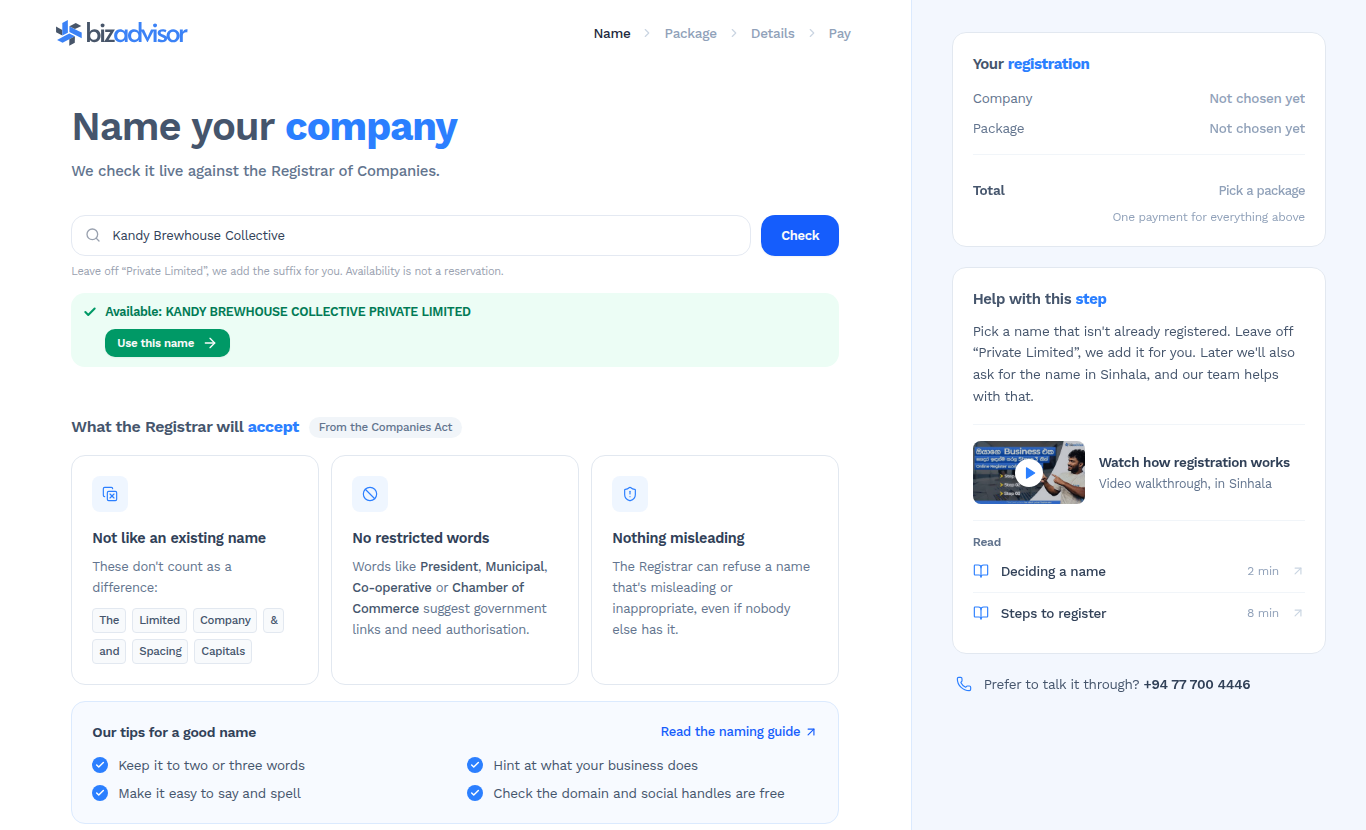
The page also lists the rules the Registrar applies to names: a name can't match an existing company, can't use restricted words such as "President", "Municipal" or "Co-operative" without authorisation, and can't be misleading. Our guide to naming your company covers the rules in full.
An available name is not a reserved name. The name is reserved only when the Registrar approves it, which your advisor applies for after you pay.
2. Choose a package
Basic, Premium and Premium Plus are compared side by side, line by line, so you can see exactly what each one adds.
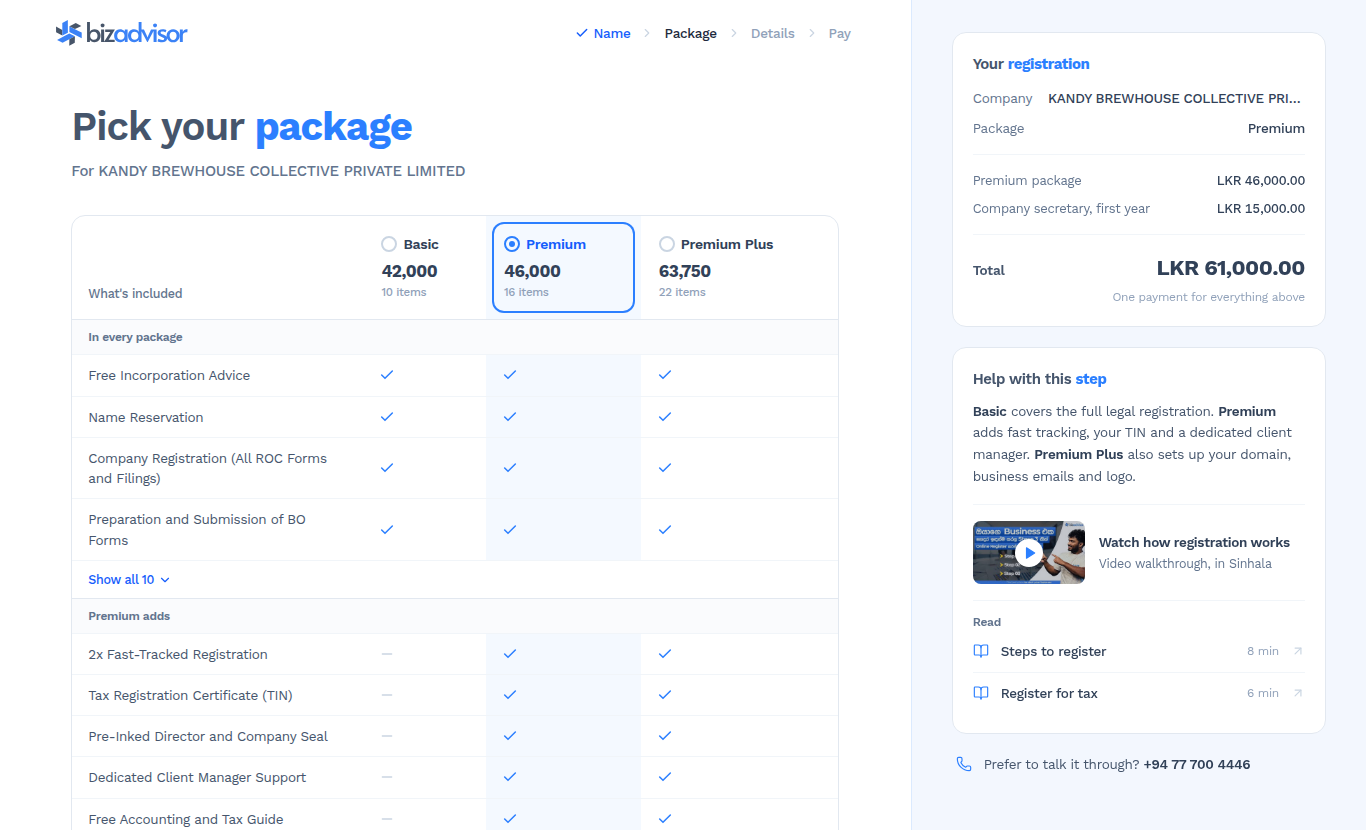
- Basic covers the full legal registration: name reservation, all ROC forms and filings, and your BO forms.
- Premium adds fast-tracked registration, your TIN, company seals and a dedicated client manager.
- Premium Plus also sets up your business domain, professional emails, logo and Google Business Profile.
The running total on the right updates as you choose, including the first year of the company secretary service. Every company in Sri Lanka needs a company secretary, and Bizadvisor is selected by default.
3. Enter your contact details
Just your name, email, mobile number and the language you'd like your advisor to use, English or Sinhala. Your receipt, updates and login link go to this email.
Directors, shareholders and your registered address aren't needed yet. They come after you pay, in a secure form.
4. Review and pay
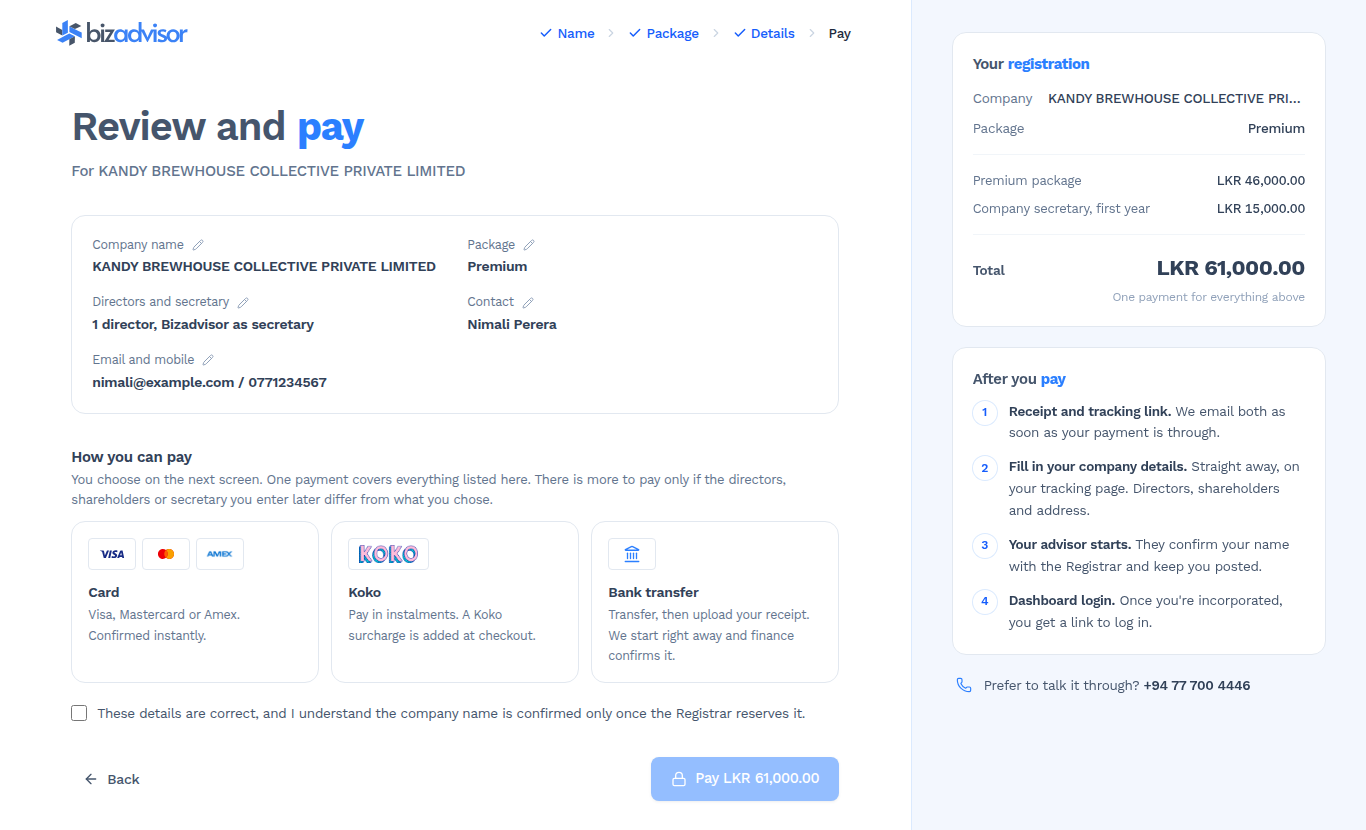
Check everything on one screen, then pay the way that suits you:
| Payment method | How it works |
|---|---|
| Card | Visa, Mastercard or Amex. Confirmed instantly. |
| Koko | Pay in instalments. A Koko surcharge is added at checkout. |
| Bank transfer | Transfer, then upload your receipt. Work starts right away while finance confirms it. |
One payment covers everything listed. You only pay more if the directors, shareholders or secretary you enter later differ from what you chose.
For the government fees included in a registration, see the current Sri Lanka company registration fees under Extraordinary Gazette No. 2496/03.
5. Fill in your company details
As soon as your payment is through, we email you a receipt and a link to your tracking page. From there you open a guided form that collects everything the Registrar needs, in nine short steps:
- Company details: your company name, email and what the business does.
- Company secretary: Bizadvisor, or bring your own.
- Registered address: chosen from province, district, divisional secretariat and Grama Niladhari division lists, so every option is valid.
- Directors: each director's legal identity and NIC details.
- Shareholders: who owns the company, and how many shares each holds.
- Authorised person: the natural person who deals with the Registrar for the company.
- Share capital: your initial capital, with the value per share calculated for you.
- Primary contact: who we keep updated.
- Review and submit: a full summary, with an edit link on every section.

Your progress saves as you go, so you can close the tab and come back. Nothing is sent to your advisor until you submit. Not sure who should be a director or shareholder? Read choosing directors and choosing shareholders first.
6. Track it until you're incorporated
Your tracking page shows where the registration stands, from payment through to incorporation:
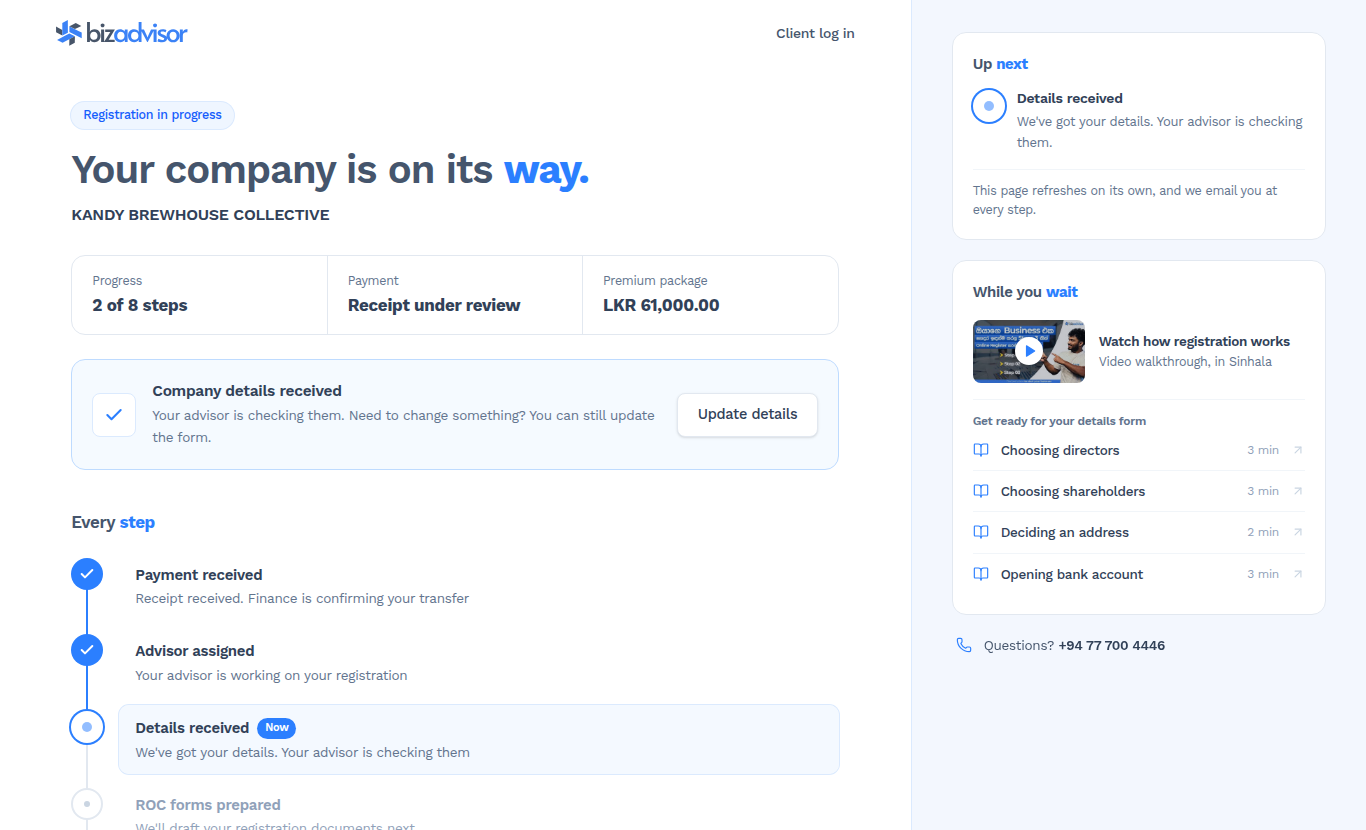
- Payment received
- Advisor assigned
- Details received
- ROC forms prepared
- Documents signed
- Submitted to ROC
- BO forms approved
- Company incorporated
The page refreshes on its own, and we email you at every step. Once your company is incorporated, the same page gives you a one-click login to your Bizadvisor dashboard, where your certificate, Form 1 and company records live.
What you need before you start
To start an online company registration, you only need:
- the company name you want
- an idea of which package fits
- your email address and mobile number
For the details form after payment, have these ready:
- the NIC (or passport, for a foreign director) of every director and shareholder
- how many shares each shareholder will hold
- your registered address in Sri Lanka
- who will be the company's authorised person
The step-by-step guide to registering a company in Sri Lanka explains the forms behind each of these (Form 1, Form 18, Form 19 and BO 1) and what happens at the Registrar.
Why register online with Bizadvisor
- You start when it suits you. Midnight on a Sunday is fine. Nobody has to call you back first.
- You see the price before you pay. The total is itemised on screen, with nothing hidden.
- You never retype anything. What you enter flows straight into your advisor's workflow.
- You always know where it stands. Your tracking page and the emails replace the "any update?" phone calls.
An unpaid registration stays open for 14 days, so you can come back and pay later from the same link.
Start your registration
Register your company online →
Prefer to talk it through first? Call +94 77 700 4446 or email support@bizadvisor.lk. Still deciding on a structure? Compare a sole proprietorship and a private limited company first.
Related Articles
TIN Certificate Rules 2026: 8 Transactions That Need a TIN in Sri Lanka
The IRD has postponed the mandatory TIN certificate for eight transactions, including bank accounts, business registration and share transfers, to 1 April 2027. It is postponed, not cancelled. Here is what that means and how to get your TIN.
What is ViYASA? Sri Lanka's National Business Facilitation Centre
ViYASA is the government centre that helps businesses and investors clear stalled approvals. What it does, who it is for, what it doesn't do, and how to raise an issue.
Sri Lanka's Personal Data Protection Act Takes Effect on 1 January 2027: What Your Business Must Do Now
Gazette No. 2498/16 brings the core of the Personal Data Protection Act, No. 9 of 2022 into force on 1 January 2027. Here is what changes, which businesses are covered, what the Data Protection Authority will expect, and how to get ready.